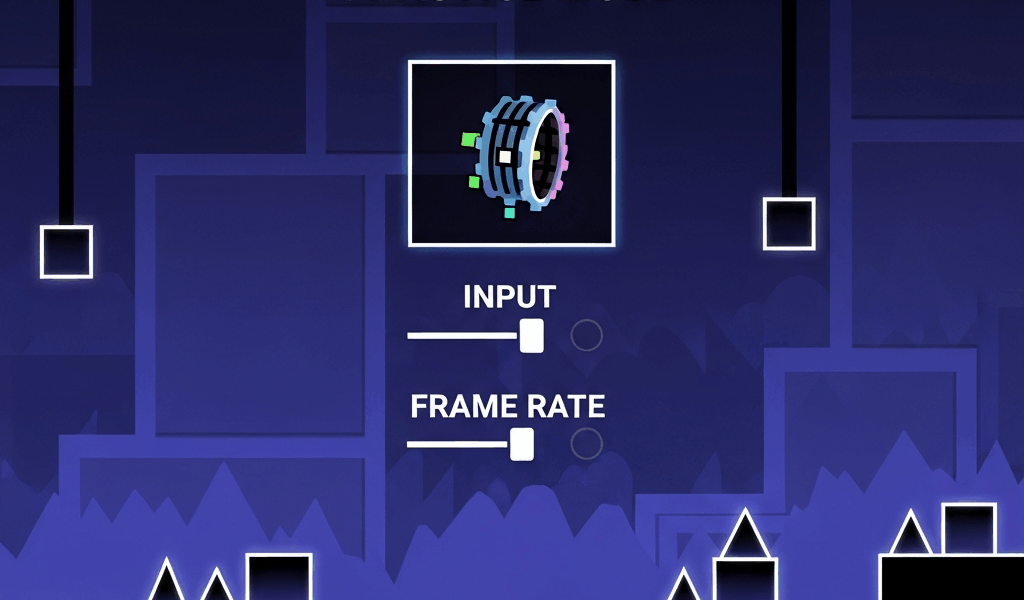
As someone who spent time analyzing what top players actually use versus what they claim to use, I identified the changes that genuinely move the needle. Today I’ll share all of it.

Frame Rate Settings
Frame rate affects both visual smoothness and input response. Higher frame rates provide smoother gameplay and potentially faster input registration. Most top players run the highest frame rate their hardware supports reliably — not the highest possible setting, but the highest stable one. There’s a difference.
Recommended Configuration
- Enable VSync if you’re experiencing screen tearing
- Use the smooth fix option for consistent frame pacing
- Match frame rate to your monitor’s refresh rate when possible
- Test different settings to find optimal performance for your specific hardware — what works for someone else’s setup may not be optimal for yours
Visual Clarity Settings
Reducing visual clutter improves obstacle readability, especially in heavily decorated levels. I remember playing decorated levels at default settings and dying to obstacles I couldn’t see clearly until I reduced the visual noise.
Performance Options
- Low Detail Mode — Removes unnecessary visual effects. Improves both performance and clarity. Worth enabling for most players attempting difficult content.
- Disable Shake Effects — Prevents screen shake that causes confusion during intense sections. This one made a noticeable difference for me.
- Reduce Particle Effects — Minimizes particles that can obscure obstacles in decorated levels.
Audio Settings
Proper audio configuration matters for rhythm-based gameplay. The game is built around music synchronization, so your audio setup directly affects how well you can anticipate obstacles.
Audio Recommendations
- Use headphones for consistent audio quality — speakers introduce variable positioning that affects timing perception
- Adjust music offset if audio appears desynchronized on your device
- Balance music and sound effect volumes based on what helps you read timing — some players disable sound effects entirely to focus on music
Input Configuration
Input settings affect how responsive the game feels. Finding the right configuration depends on your device and playstyle — probably should have experimented with this earlier than I did.
Key Settings
- Input offset — Compensate for input delay on your specific device. This varies significantly across hardware.
- Custom keybinds — Use keys comfortable for extended play sessions. Ergonomics matter over hundreds of attempts.
- Sensitivity adjustments — Tune response to match your preferences and play style.
Practice Mode Optimization
Efficient practice mode usage accelerates improvement more than almost any other variable.
Practice Settings
- Enable auto-checkpoints or place them strategically based on section difficulty
- Use music sync in practice to maintain rhythm learning across attempts
- Configure checkpoint density based on what you’re actually trying to learn in a given session
Display Configuration
Monitor and display settings outside the game also matter. Proper configuration ensures optimal visual experience.
External Settings
- Disable unnecessary overlays that might introduce input lag
- Ensure graphics drivers are current
- Close background applications consuming resources during sessions
- Higher refresh rate monitors are a genuine advantage on hard content
Mobile-Specific Settings
Mobile players have additional variables to manage:
- Enable gaming mode if available on your device
- Close background apps to free memory before sessions
- Consider touch response settings specific to your device
- Manage device temperature during extended grinding — thermal throttling affects frame rate consistency
Testing Your Settings
After adjusting settings, test them on familiar levels before attempting difficult content. Notice changes in responsiveness, visual clarity, and overall feel. Fine-tune based on your experience rather than copying someone else’s configuration exactly.
Settings are the foundation, not the ceiling. Getting them right removes friction and lets your actual skill development take over. Small improvements compound — a reduction in input lag combined with better visual clarity combined with smarter practice habits can meaningfully change your results on hard content over time. That’s what makes optimization worthwhile for us GD players who are serious about improving.
Related Articles
Continue reading:


Leave a Reply