
Welcome to Geometry Dash – a rhythm-based platformer that has captivated millions of players worldwide. This comprehensive guide covers everything you need to know as a new player, from basic controls to understanding the community that makes this game special.
What Is Geometry Dash?
Geometry Dash is a rhythm-based action platformer developed by Robert Topala (RobTop). Unlike traditional platformers where you control movement speed, GD auto-scrolls at a constant pace while you control jumping, flying, and other actions timed to music. The combination of precise timing, catchy soundtracks, and challenging gameplay creates an addictive experience that keeps players coming back.
Originally released in 2013, the game has grown tremendously through major updates, most recently the massive 2.2 update that added platformer mode, new vehicles, and countless features. The game is available on mobile devices (iOS and Android) and PC (Steam).
Understanding the Basic Controls
Cube Mode – Where Everyone Starts
The cube is your default vehicle. Tap or click to jump. Hold for slightly higher jumps (on certain surfaces). That’s it – deceptively simple controls that become incredibly demanding at higher difficulties.
Key concepts for cube mode:
- Jump height is mostly fixed, but timing determines where you land
- Yellow pads boost you into the air automatically when touched
- Blue pads flip your gravity
- Orbs (rings) activate on tap mid-air, allowing additional jumps or gravity changes
- Portals change game modes, gravity, speed, and size
Other Game Modes
As you progress, you’ll encounter additional vehicles, each with unique physics:
- Ship – Hold to fly upward, release to descend. Requires smooth, continuous control.
- Ball – Tap to switch gravity. Rolls along surfaces.
- UFO – Tap for short upward boosts. More controlled than ship.
- Wave – Hold to move diagonally up, release to move diagonally down. Considered the hardest mode.
- Robot – Tap for variable-height jumps (hold longer = jump higher).
- Spider – Tap to teleport to the opposite surface.
- Swing Copter (2.2) – Hold to swing in one direction, release to swing the other way.
The Official Levels
Geometry Dash includes 21 official levels created by RobTop, designed as a tutorial progression from easy to extremely difficult:
Beginner Levels (1-7)
Stereo Madness, Back on Track, Polargeist, Dry Out, Base After Base, Can’t Let Go, and Jumper introduce basic mechanics. Complete these to understand fundamental controls and timing.
Intermediate Levels (8-14)
Time Machine through Clubstep introduce harder timing, new game modes, and the first official demon (Clubstep). This is where many players get stuck and need to develop real skills.
Advanced Levels (15-21)
Theory of Everything 2 through Fingerdash represent expert-level difficulty. Completing these marks you as a skilled player.
Understanding the Difficulty System
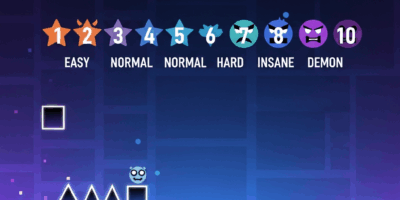
Levels are rated by difficulty on a star system:
- Auto (1 star) – Plays itself, no input needed
- Easy (2 stars) – Suitable for beginners
- Normal (3 stars) – Basic challenge
- Hard (4-5 stars) – Requires decent timing
- Harder (6-7 stars) – Challenging for intermediates
- Insane (8-9 stars) – Difficult, requires significant skill
- Demon (10 stars) – The hardest category, subdivided into Easy, Medium, Hard, Insane, and Extreme Demon
Completing rated levels earns stars that unlock icons, colors, and other customization options.
User-Created Levels – The Heart of GD
While official levels provide a structured learning experience, user-created content is where Geometry Dash truly shines. Millions of levels have been created by the community, ranging from simple beginner-friendly designs to impossible challenges that push human limits.
Finding Good Levels
- Featured tab – Levels selected by moderators for quality gameplay and decoration
- Hall of Fame – The best of the best, historically significant levels
- Search filters – Filter by difficulty, length, and other criteria
- Lists – Curated collections organized by theme or difficulty
Quality Indicators
Look for levels with:
- High like-to-download ratios
- Feature or Epic ratings
- Creator Points from established builders
- Positive comments from experienced players

Practice Mode – Your Most Important Tool
Practice mode is essential for learning difficult levels. Access it by pausing during any attempt. In practice mode:
- Place checkpoints with the checkpoint button
- Respawn at your last checkpoint after dying
- No penalty for deaths – experiment freely
- Learn sections before attempting real completions
Effective practice mode usage separates improving players from those who plateau. See our dedicated practice mode guide for advanced techniques.
Progression Tips for New Players
First Week
- Complete official levels 1-7 (Stereo Madness through Jumper)
- Get comfortable with cube jumping and basic ship control
- Explore easy user levels to see community creativity
First Month
- Push through official levels 8-14
- Practice all game modes until none feel completely foreign
- Start using practice mode effectively on difficult sections
- Attempt your first demon level (The Nightmare recommended)
Ongoing Development
- Complete remaining official levels at your own pace
- Build demon count gradually (Easy → Medium → Hard)
- Identify weak game modes and practice specifically
- Consider trying level creation to understand design
The Community
Geometry Dash has one of the most active gaming communities online. Key places to connect:
- Official Discord – News, discussion, level sharing
- Reddit r/geometrydash – Memes, achievement posts, community discussion
- YouTube – Countless content creators covering gameplay, news, and tutorials
- GD Forums – In-depth discussion and creator resources
The community is generally welcoming to newcomers. Don’t hesitate to ask questions or share achievements.
Common Mistakes to Avoid
- Skipping practice mode – Grinding full attempts without learning sections wastes time
- Attempting too-hard levels – Progress gradually rather than bashing against impossible content
- Ignoring weak game modes – Well-rounded skills matter more than excelling at one mode
- Playing tilted – Take breaks when frustrated; performance degrades rapidly when angry
- Comparing to top players – Everyone starts somewhere; focus on personal improvement
What Makes GD Special
Geometry Dash succeeds because it combines:
- Simple, responsive controls that feel great
- Music integration that makes gameplay feel like rhythm
- Infinite content through community creation
- Clear progression and achievement systems
- A passionate community that continuously pushes boundaries
Whether you play casually for the music and satisfying gameplay or grind for hours chasing impossible challenges, Geometry Dash offers something unique. Welcome to the community – your journey is just beginning.

Related Articles
Continue reading:

Leave a Reply