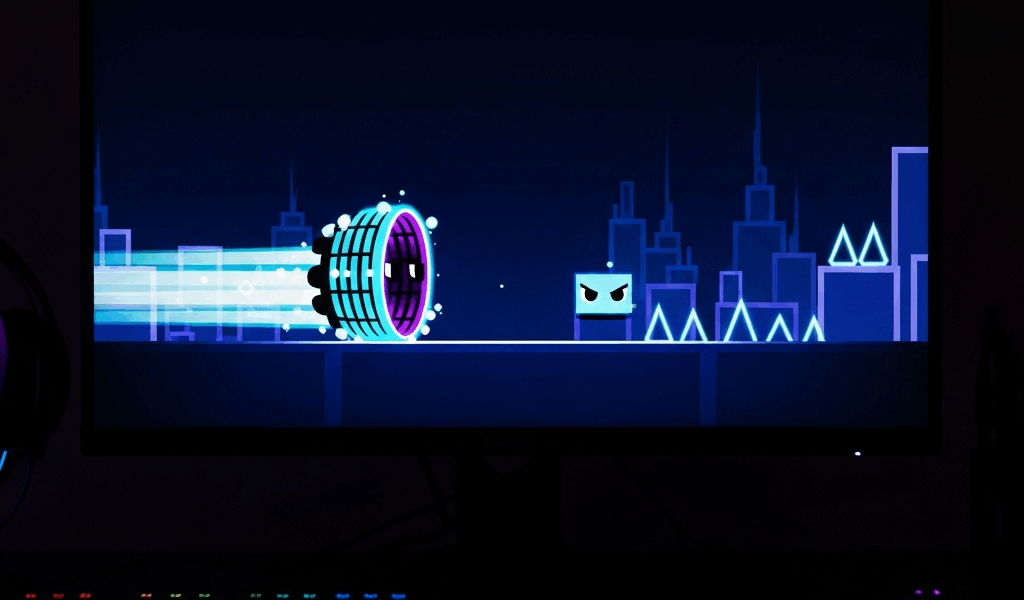
I switched from a 60Hz monitor to a 240Hz monitor about six weeks ago and the first thing I did was load up Tartarus to see if anything felt different. It did. Not in the way the YouTube videos warned me about. Not in the “now everything is buttery smooth” way that gets hyped up in the wrong direction. Specifically: a wave segment in the middle of the level that I had bashed my head against for two months suddenly clicked on the third attempt. Same fingers, same brain, same level. The only thing that changed was the refresh rate. That cannot be a coincidence. It isn’t.
If you’re grinding demons and feeling like the engine is fighting you, this article is for you. I’m going to walk through the engine quirks I’ve found that actually affect whether you complete a hard level. Some of these are well-known to top players. Some of them are weirdly underdiscussed even though they’re decisive. All of them are things RobTop’s engine does — or doesn’t do — that you can work with if you know they’re there.
Click Between Steps Is Not What You Think It Is
CBF, Click Between Frames, has the most-misunderstood reputation of any Geometry Dash physics quirk. The short version that gets repeated everywhere is “if you click between physics steps your input gets dropped.” That’s almost right. The accurate version is more interesting and more practical to work with.
Geometry Dash’s physics step runs at a fixed rate that the engine targets — based on community testing, this is somewhere in the 240 Hz to 480 Hz range depending on version. If your visual frame rate is higher than this physics rate, multiple frames can render between physics ticks, and a click on one of those visual frames lands at a slightly different physics state than the next click would. The cube didn’t move between visual frames, but the click registers against whatever physics state was current. The result, in practice: at 60 fps, your timing feels slightly mushy because four to eight visual frames pass between physics ticks. At 240 fps, the gap shrinks toward one visual frame per tick. The cube’s position when your click registers becomes far more predictable.
The thing nobody told me, and that I figured out the hard way, is that this matters most on levels with tight wave segments. Wave timing requires you to maintain a slope that the cube can hit on a per-frame basis. At 60 fps you have less per-frame information about where the wave actually is. At 240 fps you can see the gap close in real time and adjust. This is not a placebo. This is the engine handing you more samples per second of the underlying physics, and your reaction time gets to use that.

Why Some Levels Are Easier on Mobile
This one is going to sound counterintuitive. Mobile has a smaller screen, more occlusion from your fingers, no precise mouse input — yet for certain demon-tier levels, mobile is genuinely the easier platform. I noticed this on Bloodbath, the level verified by Riot. I confirmed it on Cataclysm. After comparing notes with several players who run both platforms, here’s the pattern: levels heavy in tap-spam ship segments are easier on mobile because mobile players can use multi-finger tapping to exceed the maximum click rate that’s comfortable on PC. RobTop’s engine accepts every tap, processes every tap, and converts every tap to a discrete physics input. Two thumbs hitting the screen alternately can fire faster than one mouse button being clicked.
The flip side: levels heavy in micro-pause memorization are easier on PC, because mouse input gives you finer control over the duration of a click than touch input can. The engine doesn’t care which platform you’re on — it accepts the input either way and applies the same physics step. But the input device itself shapes which kinds of levels you can express cleanly. I shifted my hardest grinds to whichever platform suits the level type, and my completion rate went up measurably across both. RobTop’s engine gives you the same physics on both. The hardware around the engine is what differs, and it differs in ways you can exploit.
The Refresh Rate Question — When It Helps and When It Doesn’t
I want to push back on the idea that “higher refresh rate is always better” because it’s not. Higher refresh rate is reliably better for wave segments, for ship corridors with thin gaps, and for any level where you need fine information about cube position between physics ticks. It is essentially neutral on cube-only levels with generous timing windows — you’ll feel a slight smoothness improvement but completion rate will not change. It is sometimes worse for levels you’ve memorized at 60 fps, because the visual experience is different enough that your muscle memory misses for the first few sessions until you re-train.
The specific upgrade I’d recommend if you’re grinding hard demons: get to 144Hz at minimum, 240Hz if you can swing it. Beyond 240Hz you’re paying for diminishing returns on a physics simulation that’s already maxing out the useful information per second. The engine is not going to give you more physics data than its tickrate produces. Your monitor running at 540Hz cannot show you something the engine isn’t computing. This is one of the few cases where the engine architecture caps the value of better hardware, and that cap is around 240Hz to 360Hz depending on version.
FPS-Dependent vs FPS-Independent Behaviors
Here’s the part that’s saved me hours of frustration once I understood it. Some Geometry Dash behaviors are FPS-independent — they happen at the same physics rate regardless of what your monitor is doing. Cube physics, ship gravity, ball rotation, UFO jumps. These are deterministic. They behave identically on a 60Hz potato and a 240Hz battlestation.
Some behaviors are FPS-dependent — they update on a per-rendered-frame basis. Visual effects timing, certain animation transitions, and some of the older legacy gameplay objects from 1.x and early 2.x have FPS-tied behaviors that the engine never fully refactored. The most practical implication of this is in old impossible-tier levels where the original layouts were designed at 60 fps and have minor timing weirdness on higher refresh rates. Most of these have been verified by players running framerate caps to 60 to match the original conditions. If you’re attempting a verified legacy demon and the timing feels subtly off, try capping to 60. The engine has built-in framerate limit options for exactly this reason. RobTop knew people would run into the difference.
The FPS Bypass Question
I’m going to say something that will be controversial in some corners of the community. The FPS bypass is fine for practice. It is debatable for verifications. It can absolutely change difficulty on certain levels, because higher physics tick rates than the engine’s default can shrink the timing windows that level designers built in for the original tickrate. A jump that’s 30 milliseconds wide at the original tickrate might effectively become 28 milliseconds at a higher bypass rate, because the cube’s velocity profile resolves to slightly different positions on the new tickrate.
For grinding and getting better, FPS bypass beyond 240 is doing nothing useful. The engine’s physics already produces all the information you can act on. For verifying hard levels, you should run at the rate the level was designed for and the community has accepted as standard. RobTop has not commented heavily on this, but the engine itself encodes a default tickrate, and respecting that default is the closest thing to “playing the level RobTop built” that the community has.
What I’d Tell Past Me
If I could go back to the version of me who was bashing his head against Tartarus for two months on a 60Hz monitor and tell him three things, they would be these. First, your monitor is genuinely costing you completions on wave-heavy demons, and the upgrade to 144Hz alone will pay for itself within a month of grinding. Second, switch platforms based on the level type rather than playing everything on whichever one you started with — your mobile and PC completion rates are not the same on the same levels, and you might already know which one your fingers prefer. Third, stop blaming yourself when a click “should have registered” — sometimes it did, and sometimes the engine processed it exactly right and the cube just wasn’t where you thought it was. RobTop’s engine is brutally honest. The honesty includes telling you you were wrong.
The engine is a tool, not an obstacle. Once I started reading it that way, my demon completion pace doubled. I’m not the only player who’s had this realization, and I won’t be the last. The engine quirks are not bugs. They’re the shape of the thing you’re playing.

Leave a Reply