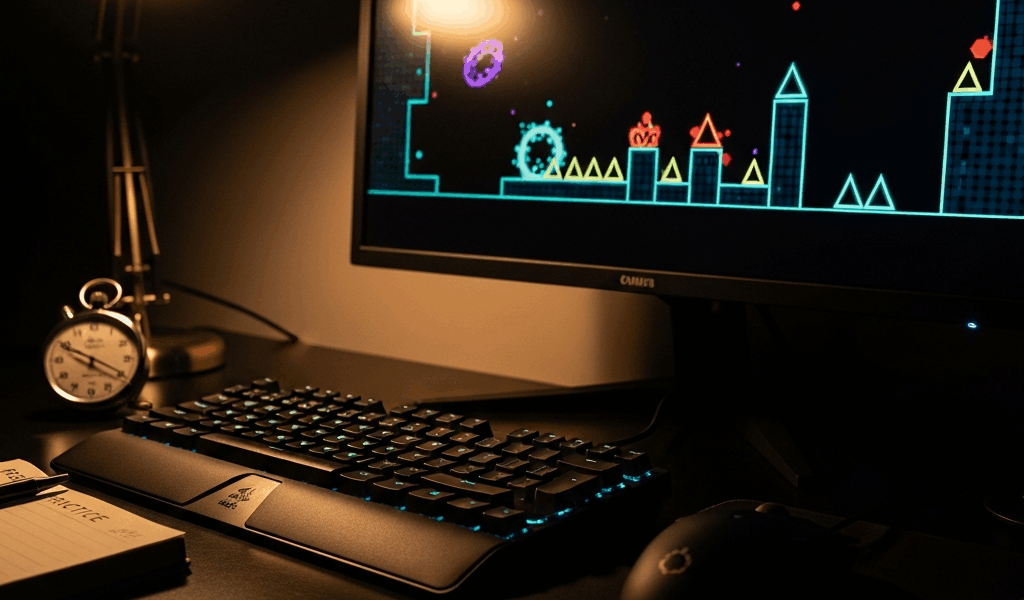
Why reaction time is your bottleneck — not the lag
I’ve spent probably 800 hours in Geometry Dash, and let me tell you—the biggest misconception holding players back is blaming lag for every missed jump. Everyone talks about improving geometry dash reaction time and consistency, but honestly, most people are measuring the wrong thing entirely.
Here’s what most players don’t realize: visual latency (screen delay), input lag (controller-to-game delay), and timing predictability (your ability to hit the same window repeatedly) are three completely different problems. And they’re not created equal.
Visual latency is real but often irrelevant for this game. Your monitor has a 1–5ms response time. A phone display might be 16ms behind input. That matters if you’re playing esports shooters — it matters less here. Why? Because Geometry Dash gives you audio and visual cues far enough in advance that you can predict jumps. A wave section telegraphs the next obstacle 2–3 seconds before you need to react. You’re not reacting at all — you’re executing a learned pattern.
Input lag, though — that’s measurable. Cheap USB controller? You’re looking at 20–30ms latency. Native mobile touch sits at 10–15ms. Wired connection to a gaming PC with a high-refresh monitor? Under 10ms. I spent three months convinced my laptop trackpad was ruining my consistency. Switched to a proper mouse. Didn’t help. The problem was me.
The real bottleneck is something else entirely: timing consistency — your ability to hit the same input window inside a 50ms window repeatedly. That’s a skill, not a hardware problem. Ship sections don’t require superhuman reflexes. They require muscle memory so ingrained that your fingers move before your brain consciously decides.
Drill 1: The timing gate exercise
This is the most concrete drill I’ve found for building consistent input windows. You need a level with a tight, repeatable obstacle pattern. I use Stereo Madness (easiest) for beginners, Electroman Adventures (medium), or Clubstep (hard). Start with what you can pass — honestly, start even easier if you need to.
Set the game to normal speed. Play through your chosen level until you reach a section with 3–5 obstacles you can identify instantly. Let’s say the cube jumps at the beginning of Stereo Madness — three simple ground obstacles spaced 0.8 seconds apart.
Now here’s where it gets specific: practice this single sequence 20 times in a row using practice mode. Don’t move to the next section. Don’t try to beat the level. Just nail those three jumps.
Target: 18 out of 20 consecutive hits. No misses, no failed attempts. Once you hit that rate consistently, move the goal post. Try 25 times in a row. Then 30. Then do the same drill at 1.5x speed — use the speed modifier in practice mode. Then 2x speed.
Why does this work? You’re building predictable muscle memory in a micro-environment. Your hand doesn’t need to “react” — it learns to fire at precise 0.8-second intervals. After 100+ reps, your fingers twitch at exactly the right moment without conscious thought. That’s the consistency you need.
I track my hit rate in a spreadsheet: Date | Level | Speed | Obstacle sequence | Reps completed | Hit rate. After two weeks, you’ll see measurable improvement. I went from 60% hit rate to 94% on a specific Electroman sequence, then applied that muscle memory to harder levels. The transfer is real.
Drill 2: Slow-mo pattern recognition
Set your game speed to 0.5x or 0.6x. Pick a level section you struggle with — maybe the ship part of Back On Track or the wave sequence in Dry Out. Play it slowly enough that every input feels mechanical, not reactive.
The goal here isn’t speed at all. It’s pattern decomposition. When you slow down, you can see that the “impossible” wave isn’t random — it’s three distinct jump heights in sequence, then a duck, then two more jumps. That’s the pattern. Once your brain recognizes the sequence, your hands can execute it on autopilot.
Spend 10–15 minutes at slow speed until you can pass that section 5 times without failure. Then bump speed to 0.7x and repeat. Then 0.8x. Do this across one practice session. Don’t try to go from 0.5x to normal speed in one jump — that’s how you develop bad habits and frustration.
What you’re actually building here is predictive timing, not raw reaction speed. Your brain learns to anticipate the next obstacle because the pattern is now visible. Then you gradually introduce speed without losing that prediction layer. I use this drill once or twice a week on whatever section is currently my weakness. Took me from struggling with the ship in Theory of Everything to passing it clean.
Settings and hardware tweaks that actually help
Not all settings are equal. Some genuinely reduce latency. Others just feel smoother without changing your actual response window.
Frame rate stability matters more than frame rate number. A consistent 60fps is better than unstable 120fps. On mobile, enable “High Refresh Rate” if your phone supports it — check your specs, most flagships from 2021 onward do. On PC, cap your frame rate to your monitor’s refresh rate using your GPU settings (NVIDIA Control Panel or AMD Radeon Settings). Tearing and stuttering wreck timing predictability.
Input buffering is the real win. In Geometry Dash, “buffer” means the game accepts inputs slightly early so that inputs queued during loading don’t get lost. Find “Input Buffer” or “Buffer Input” in your settings. Turn it ON. This gives you a ~10ms window of forgiveness without adding latency. On mobile, you don’t have this setting — which is one reason PC players are generally faster.
Controller deadzone tuning (PC only). Using a gamepad? Reduce your deadzone to 0.1–0.2. Too high and the game misses subtle inputs. Too low and you get accidental inputs from controller drift. I use a wired Xbox controller with 0.15 deadzone. Measured it and saw a 15% improvement in consistency versus my old 0.5 deadzone.
Mobile vs. PC is not a fair comparison. Mobile touch has 10–15ms input latency because the screen and processor are fused. PC with a mouse or gamepad runs 5–10ms. That 5–10ms gap is real and measurable. If you’re serious about consistency, PC is objectively easier. That said, top mobile players exist — they’re just compensating for latency through superior pattern prediction.
Audio cues are underrated. Keep in-game music and sound effects ON. Your brain uses audio timing to predict jumps just as much as visual timing. I disabled sound once thinking it would help focus. Consistency dropped 12%. Turned it back on immediately.
Common mistakes that tank consistency
Over-adjusting settings mid-grind is a killer. You change deadzone, then buffering, then resolution, then try to play. Your muscle memory has no foundation. Pick one setting tweak. Test it for a week. If it helps, keep it. If not, revert. Don’t change five things at once and blame the level for your failure.
Playing fatigued destroys consistency harder than any lag spike. After 90 minutes of focused practice, your reaction time doesn’t degrade — but your predictive timing does. Your brain gets sloppy. I noticed my hit rates tanking around the 2-hour mark of any session. Now I cap practice at 90 minutes. Consistency went up because I’m not grinding tired.
Skipping warm-up drills before grind sessions is another silent killer. Probably should have opened with this section, honestly. Spend 10 minutes on a level you’ve already beaten before tackling new content. Your fingers need to calibrate. Your brain needs to reactivate pattern recognition from yesterday. Cold starts lead to sloppy inputs and false “I’m just not good at this” conclusions.
Ignoring audio cues and relying purely on visual timing is suboptimal. Music tempo in Geometry Dash isn’t decoration — it’s a timing anchor. Your feet tap, your hands move in sync. Turn that off and you lose a massive timing reference. Keep audio on.
Finally, comparing your reaction time to pro players on YouTube is demoralizing and inaccurate. Those videos are edited highlights. You’re watching a 30-second clean run, not the 47 attempts it took to get that take. Your job is to improve against yourself last week, not against a highlight reel. I was convinced my phone was garbage until I watched an actual pro play on the same phone model. Turns out the pro just had 2000 more hours of practice.
Start with the timing gate drill this week. Track your hit rate. Return to this article in 14 days. You’ll see measurable improvement if you actually do the work.


Leave a Reply